







Hello, your privacy is important to us. Uniview websites use cookies to store info on your device and create the most secure and effective website . By continuing to use our websites, please accept the cookies could be stored on your device, which outlined our cookie policy and privacy policy .








 X
X
 GLOBAL / ENGLISH
Answer:
Use the defog function to adjust the clarity of images captured in fog or haze conditions.
1. Click Setup > Image > Image and then click Advanced.
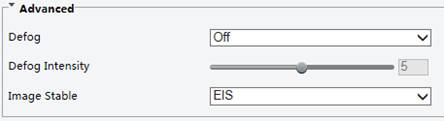
Note: You can set this parameter only when WDR is turned off.
Note: Only some certain models support optical defog. When Defog is set to On, defog intensity level 6-9 represent optical defog, and images change from color to black/white when defog intensity is set from level 5 to 6; if Defog is set to Auto and defog intensity level is somewhere between 6-9, images do not automatically change to black/white in light fog conditions; the camera automatically switches to optical defog only in heavy fog conditions.
2. Enable the defog function and then select a level for the scene. Level 9 achieves the maximum defog effects, and level 1 achieves the minimum.
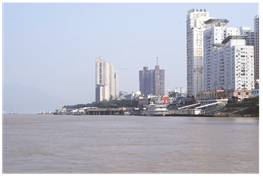
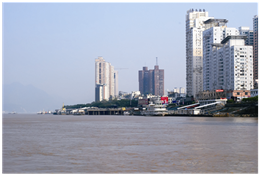
3. To restore the default settings, click Default.
TAGS:
Image setting, image setup, fog, foggy, haze condition, defog intensity, optical defog


