| Function | Description |
| Device management |
| Device management | Max. 100 devices. |
| Supports IPC, NVR, and video doorbell (overseas only). |
| User can add a device by scanning QR code or inputting register code. |
| User can add devices without signup for a cloud account. |
| User can sort devices. |
| User can edit and delete devices. |
| User can share and transfer devices. |
| User can upgrade devices/channels by cloud, export diagnostic information, and test network speed. |
| Live view |
| Play control | 1/4/6/9/12/16 window layout. |
| Multi-screen display. |
| Allows user to swipe left/right to switch video of the previous/next camera. |
| Multiple image quality options: HD/SD/Smooth (main/sub/third stream). |
| Image settings (brightness, saturation, contrast, sharpness, noise reduction, image rotation) |
| Digital zoom. |
| Play/pause video in the selected window. |
| Supports viewing recordings in the selected window. |
| Snapshots and videos can be saved to the mobile phone and can be viewed by one tap of the button. |
| PTZ control | 8 directions. |
| Focus, zoom. |
Allows user to add presets and set patrol.
Note: Actual functionality may vary depending on device capability. Only IPCs directly added to the app support preset and patrol. |
| Two-way audio | Two-way audio with an IPC (including the directly connected IPC and the NVR-connected IPC).
Allows user to adjust microphone input.
Note: Actual functionality may vary depending on device capability. |
| Recording & playback |
| Recording search | Supports recording search by device, alarm type, and time. |
| Shows search results on the calendar. |
| Allows user to adjust the video start time. |
| Allows user to switch image quality. |
| User can drag the timeline to search video, pinch on the timeline to zoom in or out (5/10/30/60 minute scales). |
| Recording playback | Up to 4-ch synchronous playback. |
| Allows user to narrow down the search and quickly find the interesting content by splitting a video into 4 or 9 segments. |
| Can play recordings saved on an SD card. |
| Supports digital zoom. |
| Snapshots and videos can be saved to the mobile phone and can be viewed by one tap of the button. |
1/4x, 1/2x, 1x, 2x, 4x playback speeds.
Note: IPCs that are directly added to the app only support 1x, 2x, 4x. |
| User can close/resume multiple videos at a time. |
| Cloud account management |
| Signup/login | Supports signup with email address (overseas) or mobile phone number (China, and certain countries/regions outside China). |
| Allows user to log in with username/email address (overseas) or username/mobile phone number (China, and certain countries/regions outside China). |
| Remembers the accounts that user has successfully logged in to. |
| Allows user to change the password and personal information. |
| Allows user to change the mobile phone number or email address used for signup. |
| Allows user to cancel accounts. |
| Sharing |
| Sharing configuration | User can share devices and channels. |
| User can set a period and permissions for the sharing. |
| Sharing list | User can view and search current sharing records. |
| User can edit sharing settings and cancel sharing. |
| Alarm message |
| Alarm list | User can view alarm related live video, recorded video and images (actual functionality may vary depending on alarm type). |
| User can sort alarm messages by device/alarm type/time. |
| Supports pushing alarms of cloud devices in real time. |
| Device configuration |
| Remote configuration | User can configure time, image, video, audio, OSD, PTZ. |
| User can configure motion detection, human body detection, audio detection, automatic tracking, intrusion detection, cross line detection, enter area detection, and leave area detection. |
| User can configure disarming and customize alarm sound. |
| User can configure recording schedule, storage policy, SD card. |
| Note: Actual functionality may vary depending on device capability. |
| File management |
| File list | Files can be sorted by device/time/type (image/video). |
| Allows user to delete files. |
| Allows user to export files to the mobile phone. |
| Allows user to share files through third-party apps. |
| Supports batch operation. |
| General settings |
| Push notification setting | Supports going to system notification settings and notification push settings (Android only). |
| Do Not Disturb | When enabled, the mobile phone does not make vibration or audio alert when new alarms arrive (iOS only). |
| PTZ rotation speed | 1-9 speed levels (slow to fast). Default: 6. |
| Alarm & playback time zone configuration | Can display alarm and playback as per the time zone of the device or the mobile phone. |
| Auto pause video | Automatically pauses video if there's no user action for a certain length of time. |
| Auto discover new devices | Automatically discovers new devices on the LAN. |
| Auto filter offline channels | Offline channels will not be displayed on the live view screen when enabled. |
| Optimize video fluency | Videos will be smoother when enabled. |
| Data usage | Cellular/Wi-Fi data usage statistics. |
| Tools |
| Security code of device | Can generate a security code after user scans the QR code or inputs the device’s serial number. |
| Others |
| Version upgrade | Automatically checks for update. |
| Help | Tutorial video. |
| FAQ |
| Links to device documentation. |
| Email addresses for customer service. |
| User experience program. |
| Languages | Multiple languages. |
| Installation environment |
| Operating system | Supports iOS (10.0 or later) and Android (7.0 or later). |
| Compatibility | Compatible with iOS and Android phones. |
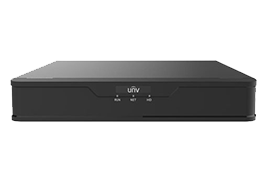
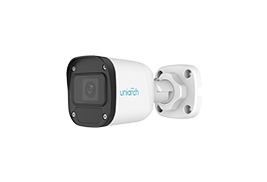
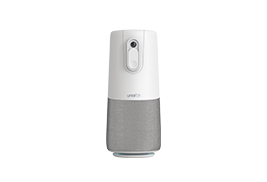






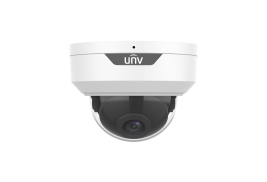
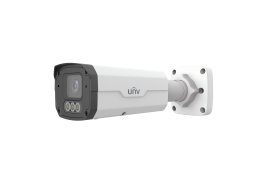
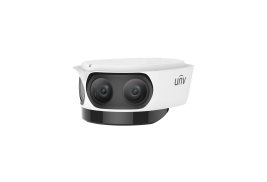










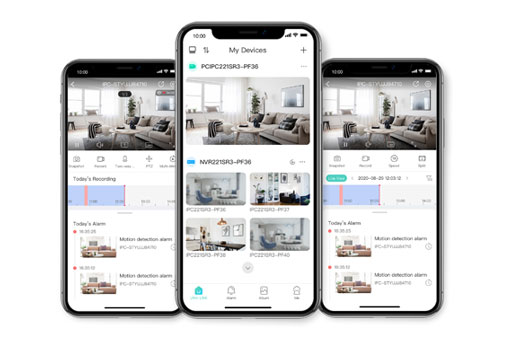


 Add devices: Supports quick adding by QR code scanning and allows adding devices without signup for a cloud account.