

1. <em id="pefxe"></em>

        <div id="pefxe"></div>
      1. HomeSupport
        HOW TO
        Provide how-to videos of the whole process from installation to use of various products.
        How To Videos
        click here to find out the full list of our how to video on the YouTube channel.
        Filter by :
        IMS-Portal
        IMS-Portal
        NVR
        IMS-Portal
        IMS-Portal
        IMS-Portal
        IMS-Portal
        IMS-Portal
        UNV-Link
        NVR(New UI)
        NVR(New UI)
        Camera
        Camera
        NVR(New UI)
        Others
        UNV-Link
        Others
        Camera
        NVR(New UI)
        Others
        UNV-Link
        NVR(New UI)
        UNV-Link
        others
        Others
        UNV-Link Pro
        UNV Guard
        EZStation
        UNV-Link
        UNV Guard
        Others
        Video Intercom
        UNV-Guard
        UNV-Guard
        UNV-Guard
        UNV-Guard
        UNV-Guard
        UNV-Guard
        UNV-Link pro
        UNV-Link
        Video Intercom
        Video Intercom
        Video Intercom
        Video Intercom
        Camera
        UNV-Guard
        UNV-Guard
        UNV-Guard
        EZTools
        NVR
        analog camera
        UNV-Link Pro
        UNV-Link
        UNV-Link pro
        UNV-Link Pro
        UNV-Link
        NVR
        UNV-Link-pro
        UNV-Link
        UNV-Link
        UNV-Link
        UNV-Link
        VMS
        VMS
        NVR
        Display
        VMS
        VMS
        NVR
        NVR
        NVR
        Display
        Display
        VMS
        VMS
        Display
        Display
        Display
        Display
        Display
        Display
        Display
        Display
        Others
        VMS
        Storage
        Storage
        Storage
        IPC
        IPC
        NVR
        IPC
        VMS
        IPC
        IPC
        IPC
        IPC
        IPC
        NVR
        VMS
        NVR
        Others
        Others
        Others
        Others
        NVR
        NVR
        IPC
        EZStation
        NVR
        IPC
        NVR
        IPC
        NVR
        EZStation
        VMS
        IPC
        NVR
        NVR
        How to Configure One Key Disarming Function on the UNV Link App
        How to Configure Devices on EZTools
        How to Install UNV Guard
        How to Activate License for UNV Guard
        How to Configure Central storage in UNV Guard
        How to switch video format of analog camera through DIP switch
        How to configure multiple doors for door stations
        How to Configure Extension Calls for Video Intercom
        How to Call App from Door Station
        How to Do the Association Configuration of Indoor and Outdoor Stations
        How to Configure Cloud Ctorage in UNV Link
        How to Configure Two-way Audio between XVR and UNV-Link Pro
        How to Manage Terminal Device on UNV Guard-ADU
        How to Manage Live View on UNV Guard
        How to Configure Preset Scene on UNV Guard
        How to Manage Cloud Device on UNV Guard
        how to manage frontend devices in UNV Guard
        How to Modify the IP of UNV Guard
        How to Set Device Locations of Indoor Stations &Relate Multiple Devices
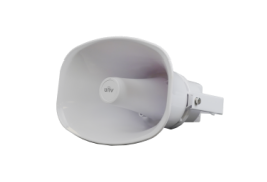
        How to Configure and Use IP Speaker on NVR
        How to Manage Playback and Download Recording on UNV Guard
        How to Configure & Use IP Speaker on UNV-Link
        How to Configure & Use IP Speaker on EZStation
        How to Configure Intercom Function in UNV Guard
        How to Manage UNV Cloud Managed Switch on UNV-Link Pro
        How to Call the UNV-Link on Doorbell
        How to Receive Doorbell Camera Alarm in UNV-Link
        How to Manage Roles and Users on UNV-Link
        How to Capture Packets and Collect Diagnosis Info From NVR
        How to Manage Community Teams on UNV-Link
        How to Download Uniview Apps
        How to configure port mapping
        How to Configure Cascade in Wifi Kit
        How to Capture Packets Using Wireshark
        How to Install UNV Link User
        Device Body, Web Interface, NVR Monitor GUI
        How to reset password for UNV device
        How to Add and Remove NVR on the EZCloud
        How to Add a Wifi Camera to Wifi Kit NVR
        How to Add a Wifi Camera to Wifi Kit NVR on UNV Link
        How to Reset the Password of the NVR
        How to Add Wifi Kit Devices to the Network
        How to Bind an O&M Service Provider on the App
        How to Add and Manage Maps on IMS-Portal
        How to Quickly Locate Abnormal Devices on IMS-Portal
        How to Create and Manage Organiztion on IMS-Portal
        How to Manage Devices on IMS-Portal
        How to Add Devices on IMS-Portal
        How to use SeekFree function
        How to Management Smart Management Box on IMS-Port
        How to Batch Manage Devices on IMS-Portal
        How to Add the Access Control Terminal on EZStation
        How to Add ADU to VMS
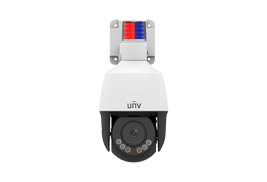
        How to Set Flashing Light for ColorHunter Camera
        How to add LPR camera on Unicorn
        How to Use the OSD Function on Analog Cameras
        How to Set up Thermal Camera
        How to Waterproof Cameras
        How to create a video Wall with KB 1100 Keyboard and VMS
        How to Add the Third IPC by Onvif Protocol
        How to Configure the LPR Camera on NVR
        How to Configure DDNS for IPC
        How to Set up Smart Illuminations for Color Hunter Cameras
        How to Expand NVR Storage Using NAS
        How to Connect IPC to NAS
        How to Configure FTP on NAS
        How to Connect IPSAN to VMS
        How to Register an EZCloud Account and Add Device
        Wireless Screen Sharing Dongle Operation Guide
        Wireless Screen Sharing iOS Operation Guide
        Wireless Screen Sharing Android Operation Guide
        System Upgrade Operation Guide
        Operation Guide of the Whiteboard on Uniview Smart Interactive Displays
        Operation Guide of the Welcome APP on Uniview Smart Interactive Displays
        Operation Guide of the Basic Features of Uniview Smart Interactive Displays
        Operation Guide for File Transfer on Uniview Smart Interactive Displays
        How to Set Up an Alarm Subscription
        How to Set Up Organization and User Management
        How to Create a Video Wall Using an ADU
        Operation Guide of Startup of Smart Interactive Displays
        How to Connect IPC to NVR
        How to Update NVR or IPC
        How to Add an LPR Camera to an NVR Using a Private Protocol
        How to Manage Device and Server on Unicorn
        How to Watch Live View & Playback on Unicorn
        How to Install LCD Video Wall
        How to Configure One Key Disarming Function on NVR’s Web and UNV Link App
        How to Configure Primary & Replica
        How to Add Smart NVR and Receive Alarm on Unicorn
        How to Collect Information for UNV-Link Problem
        How to Configure Entrust and Sharing Management Functions on UNV-Link
        How to Configure Alarm Settings and Filter Alarms
        How to Configure the Push Notification Function on UNV-Link
        How to Capture Packets and Send APP Logs
        How to Configure Plate List Function and Trigger LPR Alarm on NVR
        How to Manage Devices Through Device Configuration on UNV Link Pro
        How to Configure Project Management Function on the UNV Link Pro App
        How to manage local device on UNV Link
        How to Configure Devices in Batches on UNV-Link Pro
        How to configure dual-light mode for analog camera
        How to configure auto link function
        How to Stream the Camera or NVR Live View via RTSP
        How to Configure the Different Resources Output of NVR
        How to Add and Configure the LPR Camera on the Webpage
        How to Add Third-Party Device to Unicorn
        How to Upgrade NVR and Camera by Cloud
        How to Set Home Position of IPC
        How to Add the Fisheye Camera to the NVR
        How to Add WiFi Camera
        How to Configure the One-key Disarming Function
        How to Initiate Email Sending When the Motion is Detected
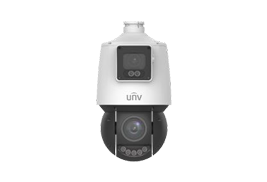
        How to Set Up Uniview Dual-Lens PTZ Camera
        How to Unbind NVR
        How to Initiate Recording When the Motion is Detected
        How to Add Device without Signup on EZView
        How to Calculate the Recording Time Allowed or Disks Needed Through EZTools
        How to Update Devices Locally or Online with EZTools
        How to Configure IE Mode in Edge Browser
        How to Modify Email Address
        How to Extend NVR's Recording Time

        1. <em id="pefxe"></em>

            <div id="pefxe"></div>
          1. 国产色综合天天综合网